
 Googlefeature
Gemini on Apple CarPlay
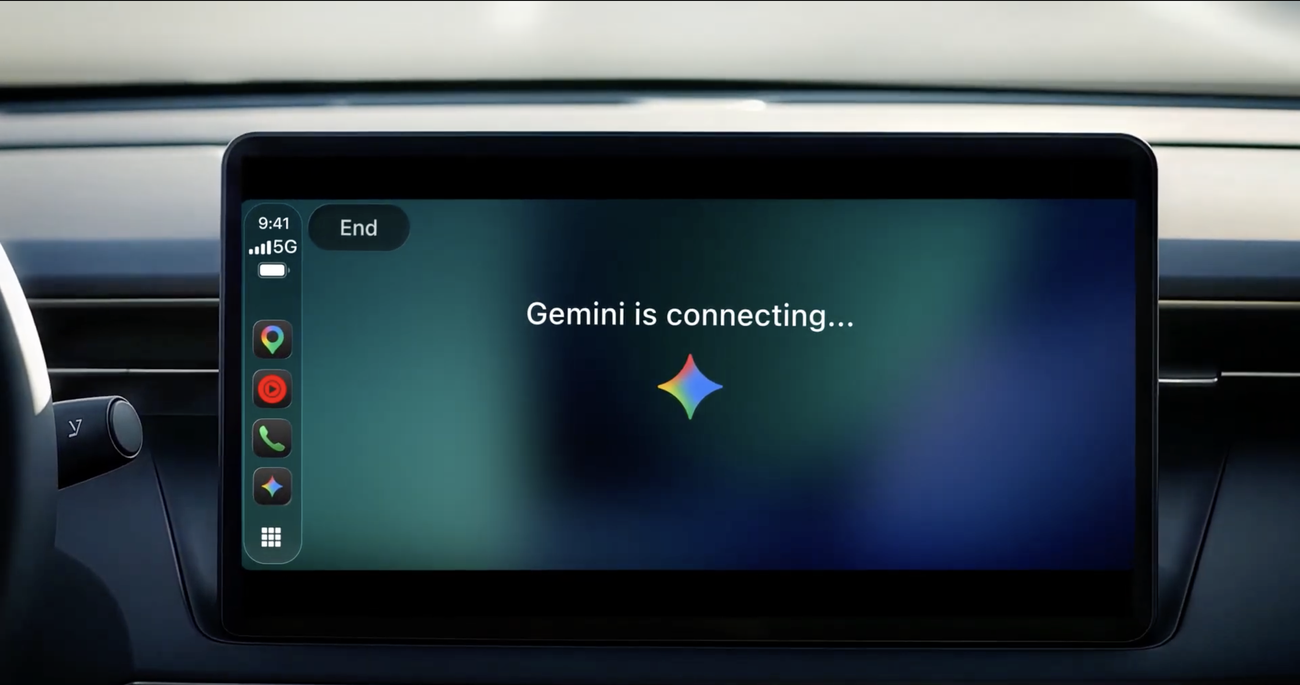
Gemini Live now works from the CarPlay screen for iPhone users, so you can talk to Gemini hands-free while driving.
Details
- Tap the Gemini icon on the CarPlay screen or side rail to pick up a recent chat or start a new one, and talk back and forth with Gemini Live, interrupting or changing subject as you go
- Because Gemini connects to Gmail and Google Calendar, you can ask for your daily brief, hear summaries of unread emails and long threads, and talk through a reply by voice
- CarPlay conversations sync to the Gemini app on your iPhone, so summaries and notes are in your chat history when you park
- Rolling out globally from Nov 11 to all Gemini users on iOS in every supported Gemini Live language. You need the latest Gemini app, microphone permission, and to have used Gemini Live on your phone at least once
Best for
Using a commute to prep for meetings, catch up on email, or talk through an idea out loud.
When to use it
Any time you are driving with your iPhone connected to CarPlay and want to keep your hands on the wheel.
Who benefits
Managers and client-facing marketers who spend real time in the car between meetings.

Join the newsletter to get ahead with AI.
I share strategies, new modules, free guides, and tools to get you better at using AI in your work.
Leading a team? See team programs →