






 Perplexitymodel
Kimi K2.6 in Perplexity
Moonshot AI's open-weight Kimi K2.6 model is now selectable for Perplexity Pro and Max subscribers.

- Best for: Perplexity users who want an open-weight alternative to GPT and Claude for search and reasoning queries
- When to use it: you want to compare Kimi against Perplexity's other model options
- Who benefits: Pro and Max subscribers exploring different model behaviors inside Perplexity
 Googlefeature
Gemini Conversation Branching
You can now branch a Gemini conversation from any point to explore a different direction without losing the original thread, rolling out to 20 percent of users.
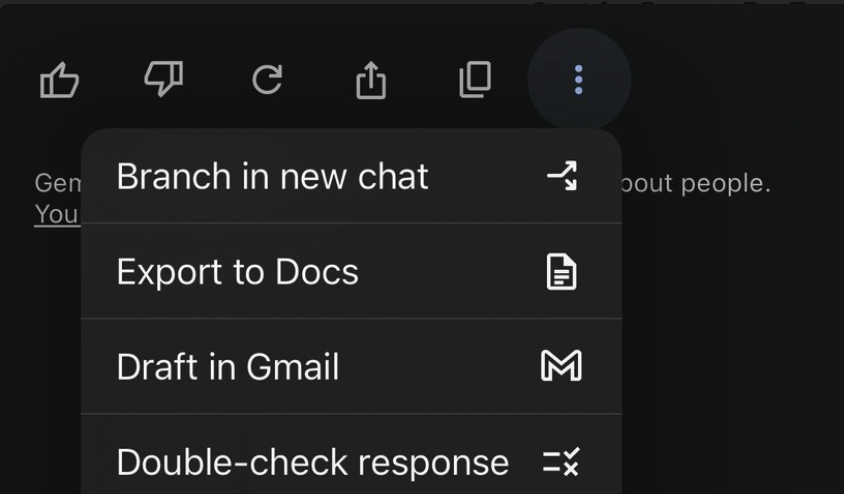
- Best for: long Gemini threads where you want to save your context window discussing part of a topic
- When to use it: to talk through a single component without losing progress or burning your token limit
- Who benefits: Gemini users who work in extended sessions and lose context when switching chats
GooglefeatureGemini Enterprise Agent Platform
Google Cloud's platform for building, deploying, governing, and observing enterprise AI agents, replacing standalone Vertex AI services.

- Best for: enterprise teams shipping production AI agents with governance, identity, and security requirements
- When to use it: building agents that need long-running workflows, persistent memory, or auditable identity
- Who benefits: cloud architects and platform engineers at orgs already on Google Cloud or Vertex AI
 OpenAIfeature
ChatGPT Workspace Agents
Handle multi-step workflows across Slack, Linear, Google Docs, and email, available in research preview for Business, Enterprise, Edu, and Teachers plans.
- Best for: teams that want one agent handling a recurring workflow across tools
- When to use it: a task crosses multiple tools and needs routine approval steps
- Who benefits: Ops, PM, and support teams on ChatGPT Business, Enterprise, Edu, or Teachers plans
 Anthropicfeature
Claude Cowork Interactive Charts
Claude can now generate interactive charts and diagrams inside Cowork, available in beta on all paid plans.

- Best for: turning research into visual deliverables without switching to a charting tool
- When to use it: you want a live, interactive chart instead of pasting a screenshot
- Who benefits: paid Claude users building reports, dashboards, or client-facing summaries
 Microsoft Copilotfeature
Share Copilot Agents to Teams
Users can now share custom Copilot agents directly into a Microsoft Teams team for discovery and team-wide installation.
- Best for: distributing an agent you built to the team that will use it
- When to use it: you built an agent for a specific workflow and want a teammate to install it without hunting in the agent store
- Who benefits: team leads, ops owners, and anyone building agents inside Copilot Studio
OpenAImodelChatGPT Images 2.0
OpenAI's new image model for ChatGPT, Codex, and the API with up to 2K resolution and reasoning-based generation.
- Best for: producing finished visuals like slides, infographics, and magazine layouts without hopping into a separate design tool
- When to use it: you need accurate text, dense compositions, or precise edits that earlier image models mangled
- Who benefits: marketers, designers, and operators who generate visual assets inside ChatGPT
Microsoft CopilotfeatureRich Bing Answer Cards in Copilot Chat
Interactive Bing answer cards for weather, stocks, and similar structured queries now display inline in Copilot Chat.
- Best for: quick structured lookups inside Copilot without switching to a browser
- When to use it: you ask Copilot about stocks, weather, scores, or other structured data instead of using search separately
- Who benefits: Copilot Chat users who do a lot of ambient fact-checking during work
Microsoft CopilotfeatureEmployee Self-Service Agent Landing Page
Optional customizable landing page for Copilot's Employee Self-Service agent with organization branding and highlighted HR and IT resources.
- Best for: rolling out a branded internal help experience inside Copilot
- When to use it: employees already ask the agent HR or IT questions and you want a discoverable front door
- Who benefits: HR and IT teams deploying Copilot agents at mid-size and enterprise companies
Microsoft CopilotfeatureCopilot Video Generation Admin Control
New setting in the Microsoft 365 admin center to manage which users can generate AI video inside Copilot.
- Best for: admin teams rolling out Copilot with controls on AI-generated media
- When to use it: your org wants to enable or restrict video generation before Copilot creators access it broadly
- Who benefits: IT admins at companies with compliance or brand-safety needs around AI video
GooglefeatureGoogle AI Studio for Pro and Ultra Subscribers
Google AI Pro and Ultra plans now include higher usage limits and access to Nano Banana Pro and Gemini 3 Pro in AI Studio, with no API key required.
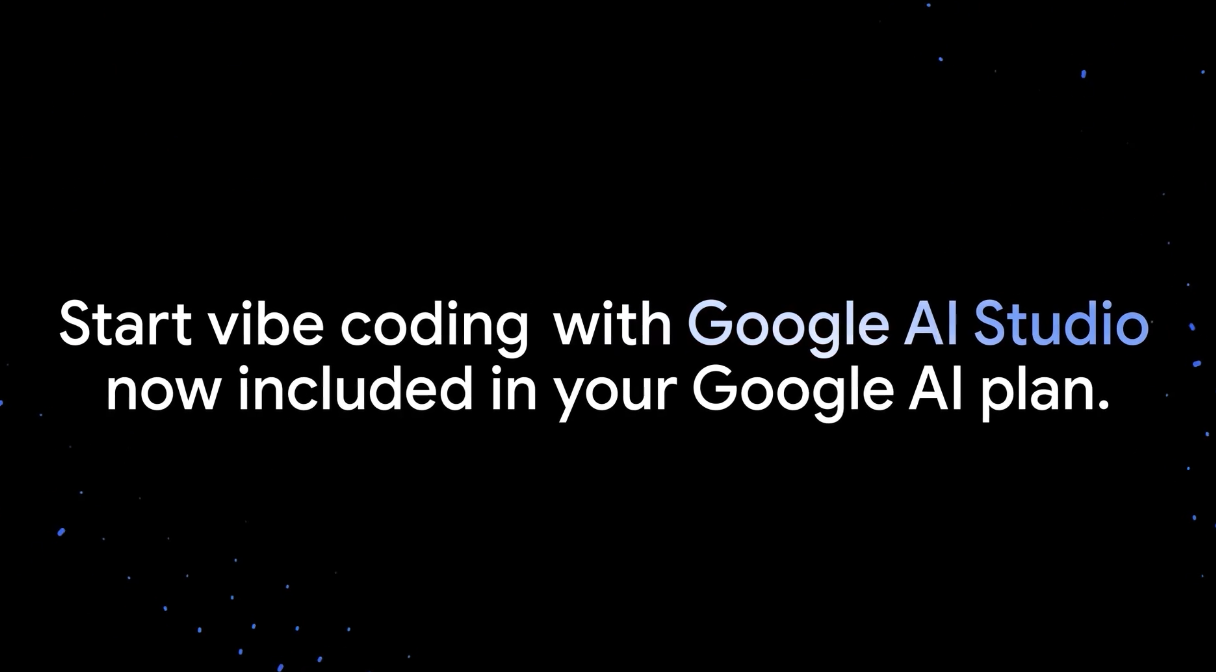
- Best for: Prototyping with Gemini's top image and text models without setting up API billing
- When to use it: You have a Google AI Pro or Ultra subscription and want to test models directly
- Who benefits: Designers and builders paying for a Gemini consumer subscription
AnthropicfeatureClaude Live Artifacts
Create live dashboards and trackers in Claude Cowork that refresh with live data from your connected apps and files.

- Best for: Teams that need updated status reports and trackers.
- When to use it: You need a view that stays current without manually pulling data
- Who benefits: Operators and PMs who use Claude and have live data needs
GooglefeatureNotebooks in Gemini for Free Users
The new notebooks feature that rolled out earlier this week are now available to free Gemini users.

- Best for: turning ongoing projects and related convos into a reusable workspace
- When to use it: to streamline attachments, guidance for AI, and project-focused multi-chat memory.
- Who benefits: free Gemini users
AnthropicfeatureClaude for Word on Pro and Max
Anthropic's Word add-in is now available on Pro and Max plans, letting subscribers use Claude Opus 4.7 inside Microsoft Word.

- Best for: drafting and editing long-form documents inside Microsoft Word without copy-pasting to Claude
- When to use it: your work lives in Word and you want Claude available alongside the document
- Who benefits: individual Claude subscribers on Pro or Max plans who work in Word
AnthropicfeatureClaude Design
Turn prompts, documents, or linked codebases into prototypes, slides, and one-pagers, for Pro, Max, Team, and Enterprise subscribers.

- Best for: going from an idea to a visual artifact without opening a design tool
- When to use it: you need an on-brand deck, prototype, or one-pager fast and have source material to point Claude at
- Who benefits: non-designers on Pro, Max, Team, or Enterprise plans (Enterprise admins must enable it)
GooglefeaturePersonal Intelligence with Nano Banana 2
Gemini can now use Google Photos and stated preferences to generate personalized images without the user re-describing appearance every time.

- Best for: generating images of yourself or people you know with less re-describing
- When to use it: you want personalized visuals and already keep photos in Google Photos
- Who benefits: Google AI Plus, Pro, and Ultra subscribers in the US
PerplexityfeaturePerplexity Personal Computer
A Mac-based orchestration layer that lets Perplexity operate on your local files, native apps, and browser.

- Best for: Handing off desktop tasks that span files, apps, and the web
- When to use it: Starting a task from your iPhone that needs to run against your Mac's local files and apps
- Who benefits: Perplexity Max subscribers with a Mac
GooglefeatureNotebookLM Custom Cover Art
Add a custom cover image and description to any NotebookLM notebook before sharing it.

- Best for: Notebooks you plan to share publicly or with a team
- When to use it: Curating a visual grid of shared notebooks or personalizing one before sending
- Who benefits: Creators and teams sharing NotebookLM notebooks externally
OpenAImodelGPT-Rosalind
OpenAI's frontier reasoning model series built for biology, drug discovery, and translational medicine.

- Best for: Scientific workflows in protein and chemical reasoning, genomics, and biochemistry
- When to use it: Research tasks requiring specialized scientific tool use beyond general-purpose models
- Who benefits: Life sciences researchers at qualified partner organizations
OpenAIfeatureCodex Mac Apps and Memory
Codex can now control desktop apps on your Mac, create images, and remember how you work across sessions.
- Best for: Repeatable desktop tasks that span multiple apps and files
- When to use it: Setting up ongoing workflows you'd rather hand off than redo manually
- Who benefits: Developers and power users running Codex on Mac
Join the newsletter to get ahead with AI.
I share strategies, new modules, free guides, and tools to get you better at using AI in your work.
Leading a team? See team programs →