"I already use AI, but how do I get it to do my work for me?"
I get this question a lot. And my answer keeps changing.
Becoming more technical is helpful, but it isn't mandatory anymore.
Every year the tools get better, and the skills it takes to offload your work shrink. |
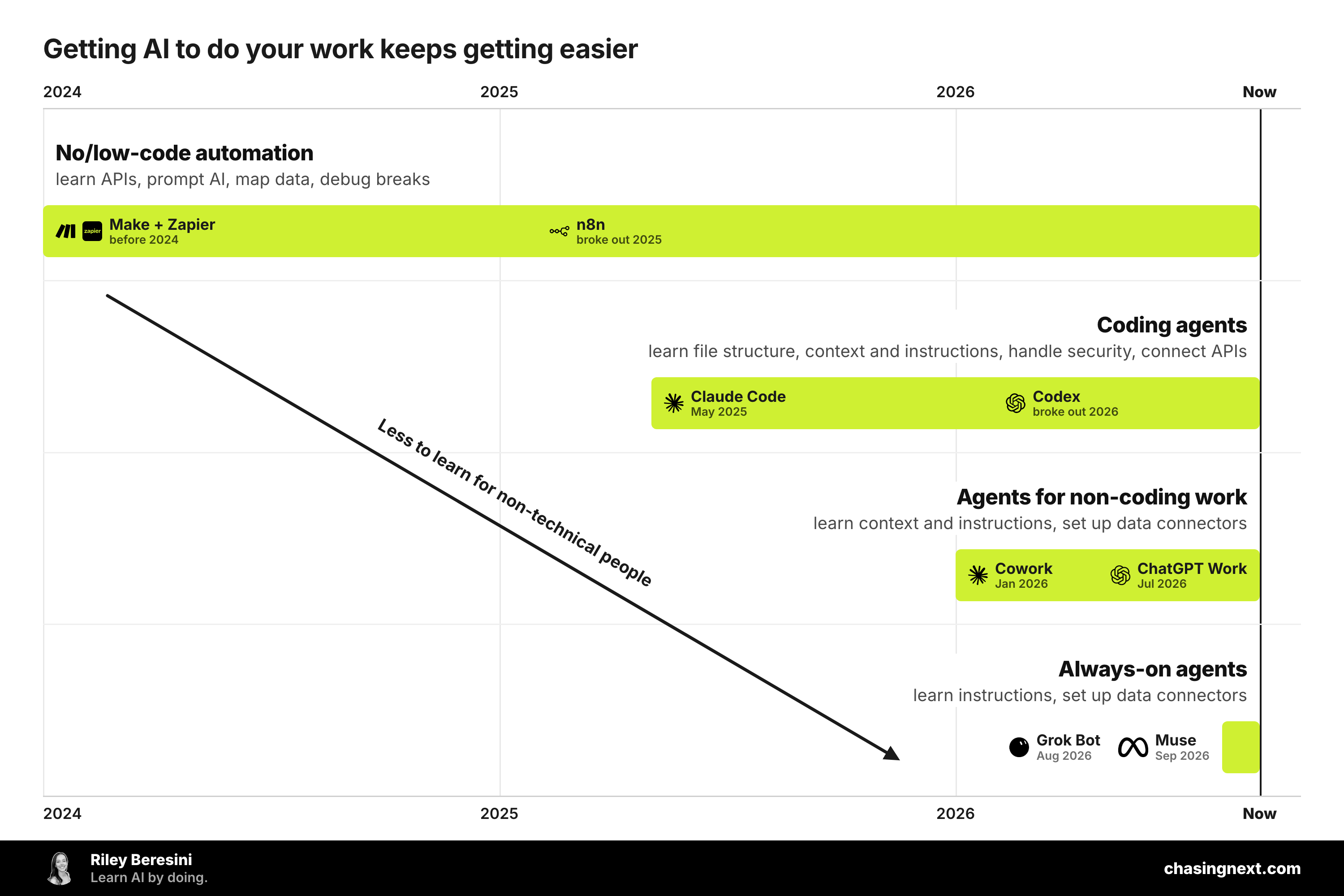 |
Just look at the latest releases: Grok Bot and Meta Muse.
Both were made to set up and complete tasks for non-technical people.
They only need a little guidance to launch fully functioning workflows. Expect similar tools from other platforms soon.
Since the barrier to building keeps falling, setting up workflows isn't just a job for your IT and dev teammates anymore.
It's a skill everyone needs.
But where can you start when tools keep changing or your company is limiting your access?
Not with a tool. With a task you already do. Pick one that:
→ Happens on a schedule (weekly, monthly, after every campaign)
→ Moves information from one place to another
→ Follows roughly the same steps each time
Things like weekly performance pulls, competitive checks, campaign recaps, and customer trend reports work well.
Then run it through the same six questions I use to set up workflows, regardless of the tool. |
The AI Workflow Map
|
Every workflow I've built comes back to these same six questions.
Get good at answering them and you'll be able to set up workflows anywhere.
Start from the result you want and work backward. |
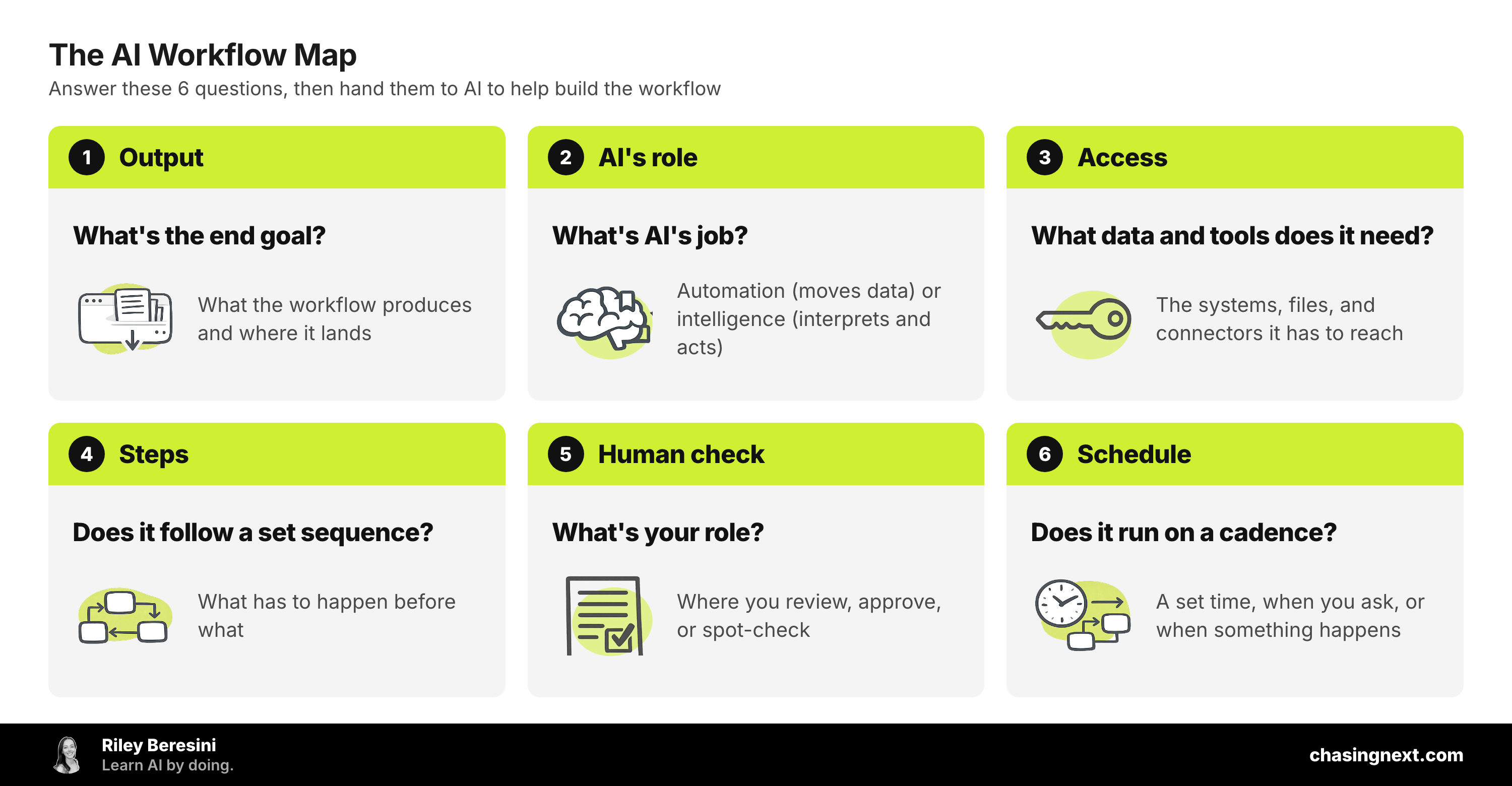 |
1. Output: what's the end goal?
|
Get clear on what the workflow should produce and where it lands.
Does it add a new lead to your tracking sheet? Send the team a Slack message flagging customer trends? Email stakeholders this week's deliverables? |
2. AI's role: what's its job?
|
Figure out what AI is responsible for.
- Automation: AI sets up and runs the task (moving data where it needs to go, with no interpretation).
- Intelligence: AI interprets data, creates new outputs, and takes action on what it sees.
Both can add value. Automation saves you time and attention, while intelligence lets you reimagine the process around what AI can do.
|
3. Access: what data and tools does it need to function?
|
List what the workflow needs to complete the job.
Does it need to read your CRM or pull from a shared spreadsheet? Does it need access to Slack? Or to use a connector your company has (or hasn't) turned on? |
4. Steps: does it follow a set sequence?
|
Determine if things need to happen in a certain order.
Does it need this week's numbers before it writes the recap? Does a lead need to be approved before it's added to the email campaign? |
5. Human check: what's your role?
|
Decide where you step in.
Do you review the recap before it goes to the team? Approve a lead before it's added to the campaign? Spot-check the output once a week? |
6. Schedule: does it run on a cadence?
|
Determine what kicks it off.
Does it run on a set schedule, like every Wednesday afternoon? Only when you ask it to? Or when something happens, like a new sign-up?
If it's scheduled, make sure it lands somewhere you'll see it, like email or Slack. That way you don't have to remember to check. |
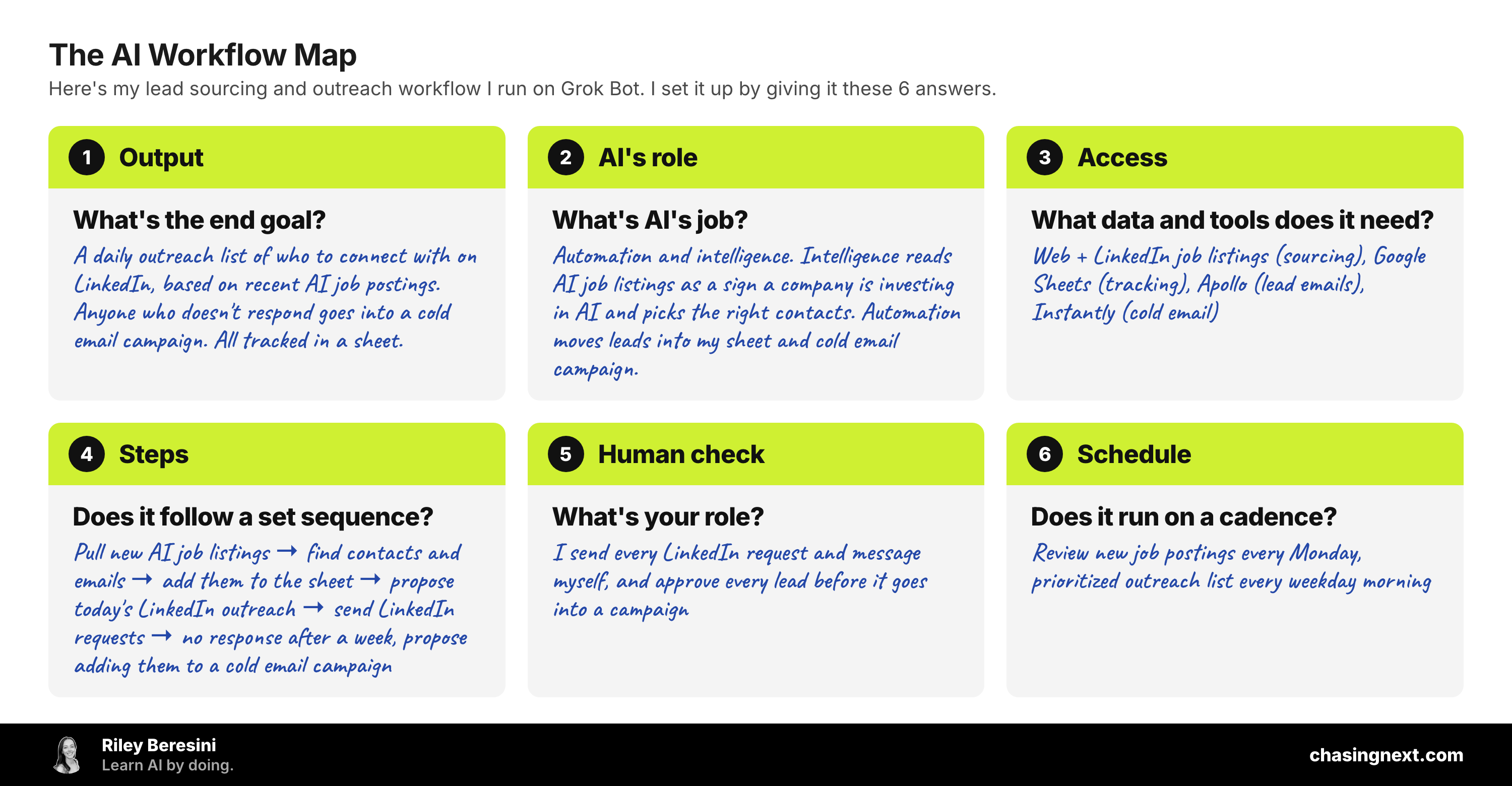
Here's one of my recent workflows mapped:
|
 |
So, how do you get AI to do your work for you?
|
My answer used to be a tool, but now it's answering these six questions.
I map my task, then give that map to whatever tool I'm using and let it help with the setup.
We all know the tools will keep changing.
Being able to map your work will put you ahead of whatever comes next.
P.S. If you want your whole team building AI workflows, that's what we help with at Chasing Next. |