






 Manusfeature
Manus Flex
Lets you run Manus on your own API key from a supported model provider, for Manus users who already pay for AI model usage elsewhere.

- Best for: Running Manus projects and automations on a model provider account your company already has
- When to use it: Your team already has a provider contract or credits and wants Manus's agent tools without paying for the model twice
- Who benefits: Ops and IT leads managing AI vendor spend, and builders who want to choose the model behind Manus
 OpenAIapi
Decisions API (Limited Preview)
An API for fast, fixed-choice decisions powered by GPT-6 Luna, like routing a request or classifying content, for developers in a limited preview.
- Best for: Routing and classification steps inside an app or agent where the answer is one of a known list.
- When to use it: You need an instant pick, like which team gets a support ticket, and a full model response is slower than you need.
- Who benefits: Developers building support routing, content moderation, or agent workflows.
OpenAIpricingChatGPT Pro 500
A new $500-per-month ChatGPT Pro tier with OpenAI's highest usage allowance and the only self-serve access to Ultrafast.

- Best for: People who hit Pro usage limits running Codex and ChatGPT Work all day.
- When to use it: The $200 Pro plan keeps running out, or you need Ultrafast speed without an Enterprise contract.
- Who benefits: Power users and independent builders who live in Codex or long agent sessions.
OpenAIapiUltrafast for GPT-6 Astra
A premium speed tier that makes GPT-6 Astra generate text up to 8x faster in Codex, for Pro $500, eligible Enterprise and Edu plans, and API developers willing to pay more per token.

- Best for: Interactive agent and coding sessions where waiting on the model is the bottleneck.
- When to use it: Speed matters more than cost, like live pair-programming or agents making many quick tool calls in a row.
- Who benefits: Developers and heavy Codex users on the top Pro plan or an Enterprise agreement.
 Metafeature
Monitor in Muse Code
Small update for developers using Meta's Muse Code: it can now watch CI, builds, and logs in the background and wake the agent only when something needs action.

- Best for: Hands-off follow-through on pull requests, like watching checks and fixing whatever fails.
- When to use it: You'd otherwise keep prompting the agent to check whether a build has passed yet.
- Who benefits: Developers already using Muse Code in the terminal.
OpenAIfeatureDots in ChatGPT
Always-on personal agents in ChatGPT that run on their own cloud computer and keep working toward your goals, for Pro, Business Premium, and Enterprise users.
- Best for: Ongoing work that needs follow-through without you directing each step, like keeping launch materials current as scope changes or turning an interview transcript into clips, show notes, and social drafts.
- When to use it: You have recurring or long-running projects that stall because nobody has time to chase them between meetings.
- Who benefits: Team leads and solo operators on Pro or Business Premium who already connect Slack, email, and docs to ChatGPT.
 Perplexityfeature
Automations in Perplexity Computer
Standing agents in Perplexity Computer that run on a schedule or when something happens in Slack, Gmail, Outlook, Linear, or GitHub, and remember what earlier runs found.

- Best for: Recurring reports and follow-ups that should build on last time, like a weekly competitor-pricing comparison or reply drafts for a key account.
- When to use it: You keep re-explaining the same recurring task to an agent, or you want an alert when an expected update never shows up.
- Who benefits: Marketing and ops leads who own status updates, competitive tracking, or inbox triage.
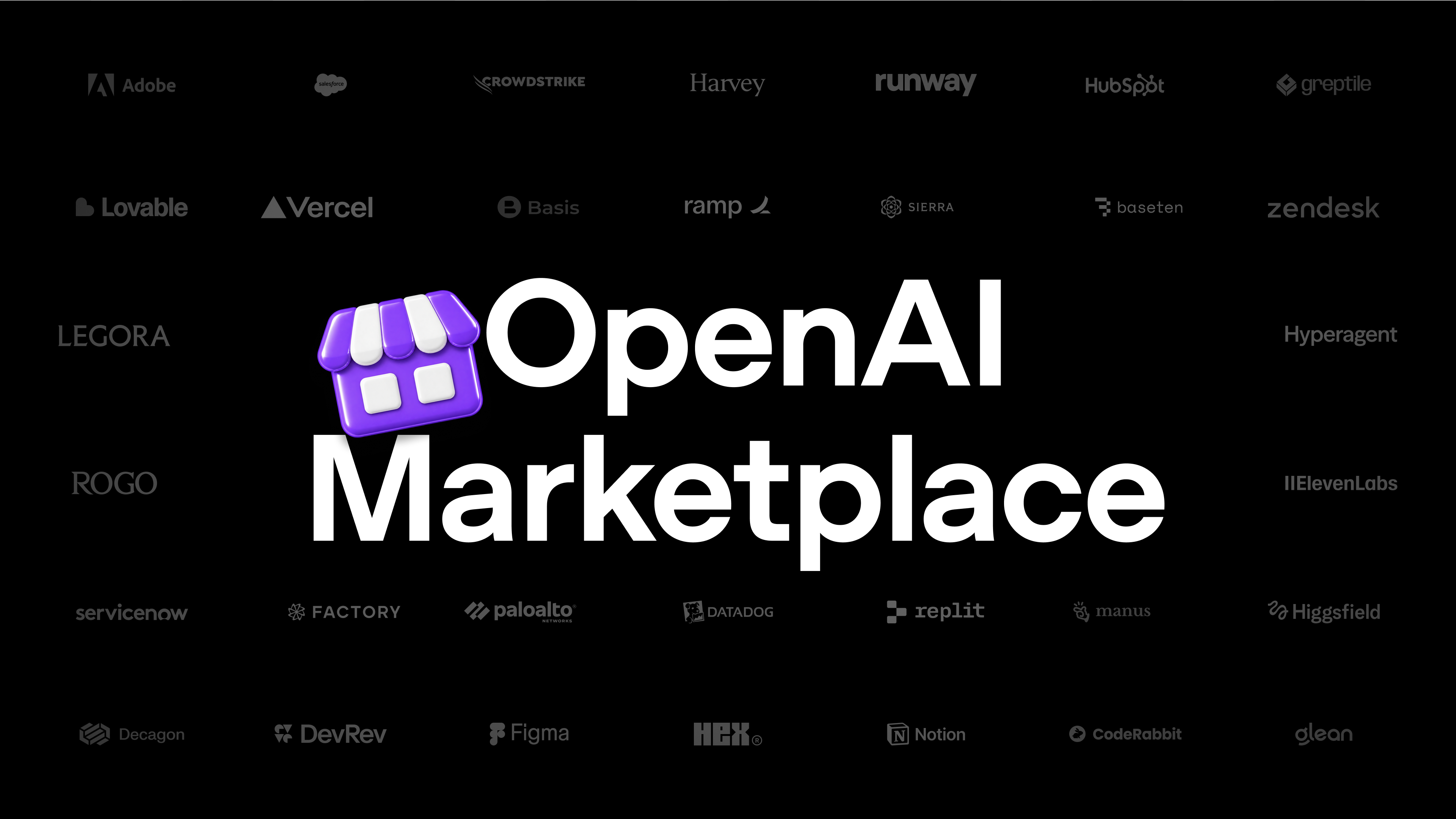
OpenAIpricingOpenAI Marketplace
Enterprise customers can now spend part of their existing OpenAI contract on approved partner software like Figma, HubSpot, Salesforce, and Adobe.
- Best for: Buying AI tools from partners out of budget already committed to OpenAI.
- When to use it: Your company has an OpenAI commitment and is also evaluating tools from marketplace partners.
- Who benefits: Procurement leads and department heads at enterprises with OpenAI contracts.
OpenAIpricingSign in with ChatGPT
Use your ChatGPT account to sign in to other apps, and let Plus and Pro subscribers spend their ChatGPT plan usage inside partner tools like Notion, Vercel, and Devin.

- Best for: Using AI features in other tools without paying for a separate AI add-on.
- When to use it: You already pay for Plus or Pro and a partner app offers to use your ChatGPT plan instead of its own credits.
- Who benefits: Plus and Pro subscribers who also use tools like Notion, Warp, or Vercel.
OpenAIfeatureShareable Profiles in ChatGPT
A ChatGPT profile page that shows your activity and up to 12 Sites you've built, which you can keep private or share, for most ChatGPT plans.
- Best for: Showing off Sites and tools you've built in ChatGPT so others can find and reuse them.
- When to use it: You've built something in ChatGPT worth sharing with your team or publicly.
- Who benefits: People building Sites in ChatGPT, and Business teams discovering each other's work.
OpenAIfeatureMeetings Plugin in ChatGPT (Beta)
A ChatGPT plugin for Mac that takes meeting notes without a bot joining the call and turns them into summaries and action items ChatGPT can start on, for Pro and Business users.
- Best for: Turning calls into follow-up work, like drafting the recap email or updating the project plan.
- When to use it: You take notes by hand or run a separate note-taker bot and then copy action items somewhere else.
- Who benefits: Managers and client-facing marketers who spend much of the day in calls.
OpenAIfeature@ChatGPT in Slack and Microsoft Teams
Teams can mention @ChatGPT in Slack or Microsoft Teams channels, threads, and DMs to get help with shared work, for Business and Enterprise workspaces.
- Best for: Getting answers and drafts right in the thread where the team is already talking.
- When to use it: Someone asks a question in a channel that ChatGPT could answer from your connected tools.
- Who benefits: Whole teams, including people without their own ChatGPT seat.
OpenAIfeatureTeams and Team Tasks in ChatGPT
Colleagues can form a team in ChatGPT to share pages, plugins, and spreadsheets, and hand recurring work to tasks that run on a schedule or when something happens, for Business and Enterprise.
- Best for: Recurring team deliverables like weekly project updates that pull from several tools.
- When to use it: The same status report or roundup gets rebuilt by hand every week.
- Who benefits: Team leads and ops managers on Business or Enterprise workspaces.
OpenAIfeaturePages in ChatGPT
A new document type in ChatGPT built for people and agents to write, research, and edit together, for Pro, Business, and Enterprise plans.

- Best for: Living documents like campaign plans, research briefs, or team wikis that ChatGPT helps draft and update.
- When to use it: A chat answer needs to become a document your team keeps editing together.
- Who benefits: Anyone who writes plans or briefs with a team, especially marketing and project leads.
OpenAIfeatureChatGPT Space
A shared home inside ChatGPT where a team, ChatGPT, and each person's dot work from the same pages, files, and knowledge, for Pro, Business, and Enterprise plans.

- Best for: Keeping a team's plans, research, and working docs in one place that ChatGPT can read and help maintain.
- When to use it: Your team's AI work is scattered across private chats and nobody can find the latest version.
- Who benefits: Marketing and project teams who already use ChatGPT together.
OpenAIfeaturePlugins in ChatGPT Sites
Sites built in ChatGPT can now use plugins, so each visitor sees the app with their own connected data and permissions, for Business, Enterprise, and Edu workspaces.

- Best for: Internal dashboards or tools built in ChatGPT that pull live data from each teammate's own accounts.
- When to use it: You've built a Site for your team and want it to read from Drive, a CRM, or similar tools per person.
- Who benefits: Ops and marketing leads building lightweight internal tools for their team.
OpenAIapiMCP Events for ChatGPT Plugins
ChatGPT plugins can now notify ChatGPT when something happens in a connected app, so it can act on its own, for plugin developers and the people using their plugins.

- Best for: Hands-off follow-up, like drafting a plan whenever a new task lands on a project board.
- When to use it: You want ChatGPT to react to updates in another app instead of waiting for you to ask.
- Who benefits: Plugin developers, and teams who run work through connected tools like project boards.
OpenAIapiChatGPT Plugin Extensions
Plugin makers can now put their apps into ChatGPT's sidebar, side panels, composer, and file viewers, for developers building ChatGPT plugins.
- Best for: Letting people work in a tool like Canva or Figma right next to the ChatGPT conversation.
- When to use it: Your plugin needs a real workspace inside ChatGPT, not just replies in the chat.
- Who benefits: Software companies and developers who publish ChatGPT plugins.
OpenAIapiBedrock Managed Agents, Powered by OpenAI (Preview)
A version of OpenAI's Agents API that runs entirely inside AWS, for companies that need their agents on AWS infrastructure.
- Best for: Building OpenAI-powered agents that have to stay inside an AWS account for security or procurement reasons.
- When to use it: Your company buys and governs AI through AWS and can't send agent traffic to OpenAI directly.
- Who benefits: Platform and engineering teams at AWS-standardized enterprises.
OpenAIapiComputer Use in the Agents API
Agents built on OpenAI's Agents API can now operate websites and apps through their interface in a browser OpenAI hosts, for developers.

- Best for: Automating work in tools that have no API, like filling out a vendor portal.
- When to use it: Your agent needs to click through a website rather than call a service directly.
- Who benefits: Developers building agents for operations, procurement, or internal tooling.
Join the newsletter to get ahead with AI.
I share strategies, new modules, free guides, and tools to get you better at using AI in your work.
Leading a team? See team programs →