






 Microsoft Copilotfeature
Microsoft 365 G7
A Microsoft 365 suite for US government agencies that bundles Copilot, agent building, and agent management inside Government Community Cloud.

- Best for: Federal, state, and local agencies that need Copilot and agents running inside an authorized government cloud.
- When to use it: Your organization sits in Government Community Cloud and has been waiting on Copilot and agent tooling being cleared for it.
- Who benefits: Government IT and compliance teams, plus staff doing research and reporting work.
 Metapricing
Meta One
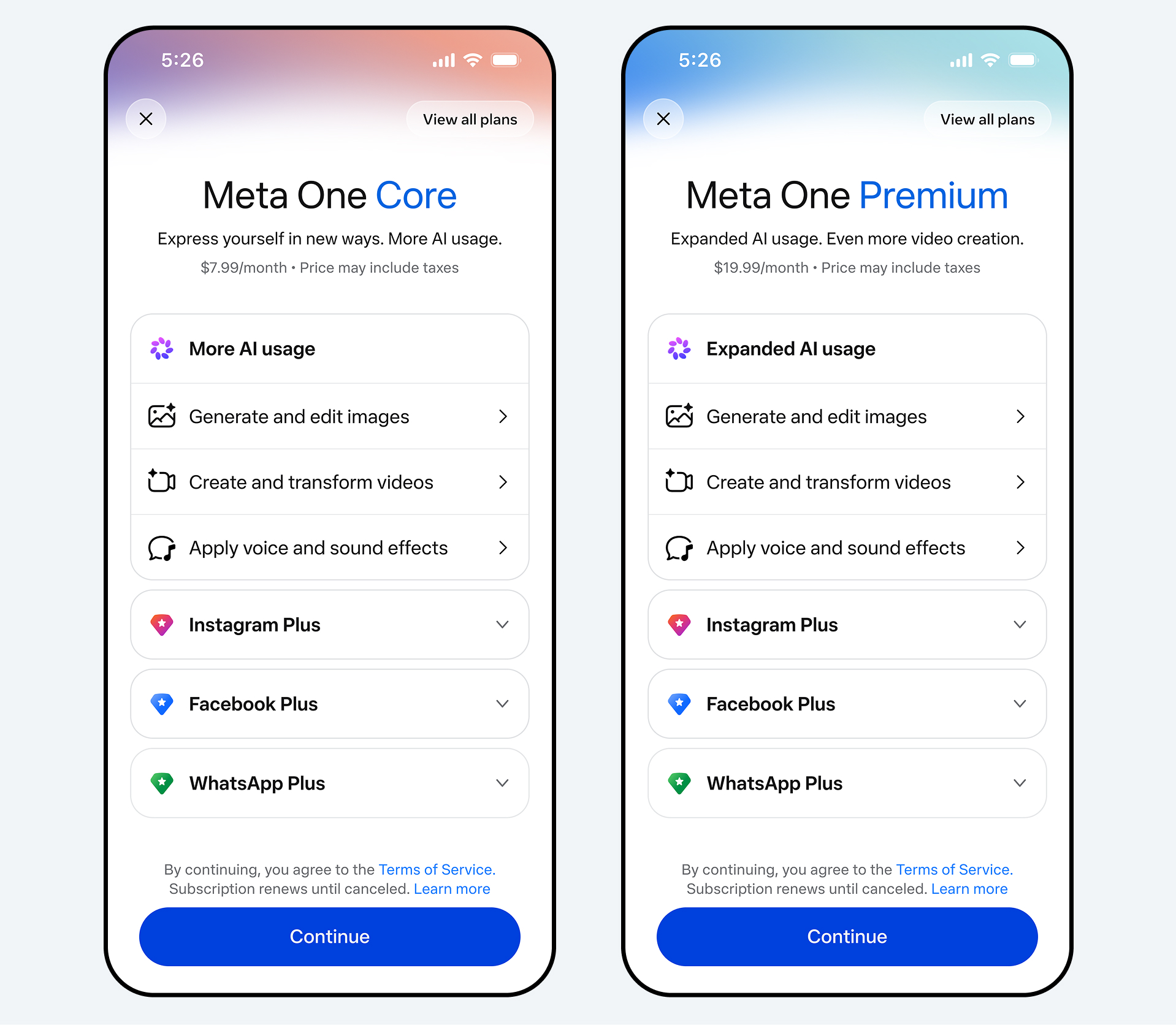
Meta's paid subscription, bundling higher Meta AI usage and extra features across Instagram, Facebook, WhatsApp, and Meta AI from $2.99 a month.
- Best for: People who keep hitting Meta AI generation limits, and creators or businesses who want Meta's publishing and agent tools.
- When to use it: Meta AI is part of the daily workflow and free-tier generation caps are getting in the way.
- Who benefits: Creators, social media managers, and small business teams running Meta channels.
 Googlemodel
Gemini 3.8 Live and 3.8 Live Extended Thinking
Two Google audio models that hold a spoken conversation and carry out tasks during it, one tuned for cost and one for harder multi-step work.

- Best for: Building a voice assistant or phone-style agent that talks with someone and finishes the task in the same conversation.
- When to use it: Reach for 3.8 Live on high-volume, low-latency talking, and Extended Thinking when the request needs several reasoning steps mid-call.
- Who benefits: Developers and enterprise teams building customer-facing voice agents.
 Anthropicfeature
Claude for Small Business (Expanded)
Anthropic's small-business package adds 27 integrations and more pre-built workflows, plus free in-person workshops in ten US cities.
- Best for: Owner-operated businesses handling finance, sales, and marketing admin without a dedicated operations team.
- When to use it: You want Claude connected to the tools the business already runs on, like Shopify orders or Xero books, instead of pasting data in by hand.
- Who benefits: Small business owners and the one or two people covering operations.
MetaapiMuse Voice Transcribe in LiveKit Agents
Meta's real-time speech-to-text model is now a ready-made plugin in LiveKit Agents, an open-source framework developers use to build voice agents.
- Best for: Voice agents that need to turn a caller's speech into text as they talk, including names and brand terms.
- When to use it: You already build voice agents on LiveKit and want Meta's transcription model without writing your own connection to it.
- Who benefits: Developers building phone agents, customer-facing voice assistants, or live support tools.
 Perplexityfeature
Perplexity Portable Computer on Windows
Perplexity's local AI agent now runs on Windows PCs with high-end NVIDIA RTX graphics cards, for users who want private, on-device work.
- Best for: Analyzing sensitive files and handling recurring tasks without sending the data to the cloud.
- When to use it: The work involves confidential data, or you want to avoid spending Perplexity Computer credits.
- Who benefits: Analysts and power users with a high-end gaming or workstation Windows PC.
AnthropicfeatureAgent Map and Settings Dialogs in Claude Code for VS Code
The Claude Code extension for VS Code now shows every helper agent a session starts, and lets you manage hooks and permission rules without editing settings files.
- Best for: Keeping track of long Claude Code sessions that hand work off to several helper agents at once.
- When to use it: A session has started multiple agents and you need to see what each one is doing, or stop one that has gone off track.
- Who benefits: Technical marketers and marketing ops people who run Claude Code inside VS Code and would rather not hand-edit settings files.
AnthropicfeatureClaude for Financial Advisors
A Claude Cowork plugin with connectors and ready-made workflows for wealth management firms and financial advisors.
- Best for: Meeting prep, post-meeting follow-ups, and client paperwork that pull from several wealth management platforms.
- When to use it: An advisor spends more time assembling client data across systems than talking to clients.
- Who benefits: Financial advisors and operations staff at registered investment advisory firms.
Microsoft CopilotfeatureGrok Models in Copilot for Word, Excel, and PowerPoint (Preview)
Microsoft is previewing SpaceXAI's Grok models inside Microsoft 365 Copilot for a limited group of Frontier program customers.
- Best for: Comparing Grok's output against the other models already available in Copilot for documents, spreadsheets, and decks.
- When to use it: Your organization is in Microsoft's Frontier program and wants to test another model family inside the Office apps.
- Who benefits: IT admins and AI leads deciding which models their company allows in Copilot.
AnthropicfeatureClaude Code Plugin Evals
A Claude Code command that tests whether a plugin or skill makes Claude's output better, for people who build Claude Code plugins.
- Best for: Checking that a skill or plugin you built does what it's supposed to before you share it with a team.
- When to use it: Before rolling a plugin out to colleagues, after editing a skill, or when a new model ships and you want to confirm the plugin still helps.
- Who benefits: Team leads and ops people who maintain shared skills and plugins in Claude Code.
 SpaceXAIfeature
Microsoft Teams Connector for Grok Bot
Grok Bot can now search, read, and send Microsoft Teams chats and channel messages as part of the work it does for you.
- Best for: Pulling decisions and context out of Teams channels into tasks Grok Bot is already running.
- When to use it: Your team's discussions live in Teams and you want an agent to find, summarize, or reply without switching apps.
- Who benefits: Marketing and sales teams on Microsoft 365 that already use Grok Bot.
SpaceXAIfeatureGrok Bot for Sales Teams
Grok Bot now connects to Salesforce, HubSpot, Gong, Clay, Granola, and other sales tools, and xAI is sharing its own sales team's Bots as templates.
- Best for: Account tracking, follow-ups, and prospect research that draw on your CRM and call recordings
- When to use it: Your reps lose hours each week updating the CRM and prepping for calls by hand.
- Who benefits: Sales and revenue operations teams already using Grok Bot
 OpenAIapi
Agents API (Public Beta)
An OpenAI API for building cloud agents on the same harness that runs Codex, with OpenAI running the agent loop for you. For developers with API access.

- Best for: Agents that work for hours or days on files and code without you building the orchestration
- When to use it: Your team has an agent idea, but the plumbing (sessions, context limits, recovering from failures) is what's holding it back.
- Who benefits: Developers and product teams building agents into their own apps on the OpenAI API
AnthropicapiAuto Mode and Session Viewer for Claude Managed Agents
Two developer updates to Claude Managed Agents: Claude can now judge each tool call itself, and you can watch a running agent from your terminal or browser.

- Best for: Letting a hosted agent run without approving every tool call by hand, while still stopping risky actions
- When to use it: Your fixed allow and deny lists either block useful work or let too much through.
- Who benefits: Developers and technical teams running agents on the Claude Platform
OpenAIfeatureChatGPT for Financial Services
A version of ChatGPT Work for banks and research teams, with financial datasets built in and GPT-6 Astra doing the analysis.

- Best for: Research, financial models, and client materials where every figure needs to trace back to a source
- When to use it: Your analysts spend hours pulling earnings data and company fundamentals before any analysis starts.
- Who benefits: Investment banking and equity research teams at financial firms
OpenAImodelGPT-Live-1 in the API
OpenAI's voice model that can listen and talk at the same time is now available to developers building voice agents, at $0.05 per minute.

- Best for: Phone and in-app voice agents that need natural back-and-forth, including callers cutting in mid-sentence
- When to use it: Your current voice agent feels stiff because it waits for the caller to finish before it can respond.
- Who benefits: Developers building customer support, booking, or sales voice agents
AnthropicfeaturePop-Out Panes in the Claude Code Desktop App
Small update for Claude Code desktop users: any pane can move into its own window, so the diff or terminal can sit on a second screen.

- Best for: Reviewing changes or watching the terminal on one screen while Claude keeps working on another
- When to use it: You work across two monitors and keep switching panes to check on Claude's progress.
- Who benefits: Claude Code desktop users who review diffs and terminal output as they go
GooglefeatureGemini App for Windows
Google's Gemini desktop app, already on macOS, now runs on Windows 10 and 11 and opens with Alt + Space from any app.

- Best for: Quick drafting, summarizing, and image or video creation without leaving the app you're working in
- When to use it: You keep a Gemini browser tab open all day and switch to it every few minutes.
- Who benefits: Windows users who work across Gmail, Drive, and everyday desktop apps
GoogleapiGoogle Cloud Developer Plugin for AI Coding Agents
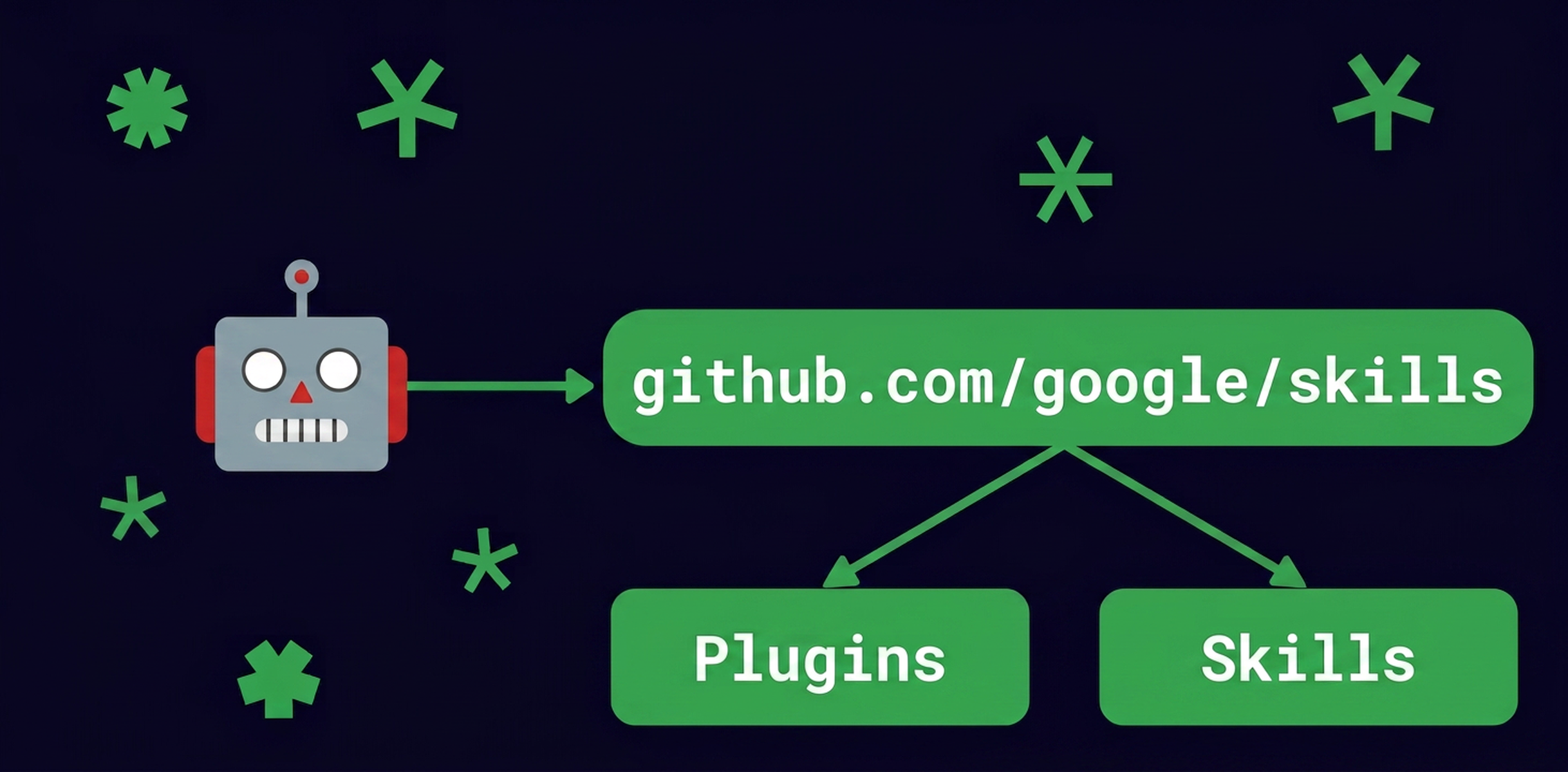
An installable add-on that teaches AI coding agents like Claude Code, Codex, and Antigravity how to work safely in Google Cloud, for developers.
- Best for: Letting a coding agent set up or change Google Cloud projects without guessing at permissions or commands.
- When to use it: Your team builds with an AI coding agent and deploys to Google Cloud.
- Who benefits: Developers and technical marketing ops people who build internal tools on Google Cloud.
GooglefeatureDreambeans (Now Free for All U.S. Accounts)
Google Labs' personalized daily story app is now open to any U.S. Google account 18 and older on Android and iOS, with no subscription needed.

- Best for: A short daily digest built from your own Gmail, Calendar, Photos, and search activity instead of an endless feed.
- When to use it: You want a finite catch-up on things you might have missed without scrolling a news app.
- Who benefits: Individual Google users curious about how Google's personal AI connects information across its apps.
Join the newsletter to get ahead with AI.
I share strategies, new modules, free guides, and tools to get you better at using AI in your work.
Leading a team? See team programs →