






 Anthropicpricing
Server-Side Auto Mode Classifier in Claude Code
Auto mode's permission classifier now runs on Anthropic's servers for API and Enterprise users, so it no longer shows up on your bill.
- Best for: Teams running Claude Code in auto mode at volume, where classifier tokens were a line item nobody chose.
- When to use it: You are on the Claude API, Enterprise, Bedrock, Vertex, Foundry, or a gateway and want auto mode without the extra charge.
- Who benefits: Engineering leads watching per-seat Claude Code spend.
 SpaceXAIfeature
Voice Notes in Grok Bot
Grok Bot can now answer with a spoken voice note instead of text.

- Best for: Getting an answer back while your hands or eyes are busy, the way you would from a colleague on a messaging app.
- When to use it: You are away from the screen and want the reply read to you rather than waiting to read it.
- Who benefits: Grok Bot users on desktop and mobile who already delegate work to it by voice.
AnthropicfeatureAGENTS.md Support in Claude Code
Claude Code now reads an AGENTS.md file in projects that don't have a CLAUDE.md.
- Best for: Repos that already carry instructions in the shared AGENTS.md format used by other coding agents.
- When to use it: Your team writes one instructions file for several AI tools and doesn't want to maintain a Claude-specific copy.
- Who benefits: Teams running more than one coding agent against the same codebase.
SpaceXAImodelGrok Voice Transcribe 2.0
SpaceXAI's speech-to-text model, twice as accurate as the previous version at the same price.
- Best for: Turning messy real-world audio into usable text: support calls, interviews, voice commands, spoken names and codes.
- When to use it: Transcription quality is the bottleneck, particularly on short phrases or non-English audio where the last model broke down.
- Who benefits: Teams already running the Speech-to-Text API, who get the improvement without touching their code.
 Metamodel
SAM 3.1 in the Meta Model API
Meta's object detection and tracking model is now a hosted API call instead of something you run yourself.

- Best for: Pulling specific objects out of images or following them through video without training anything.
- When to use it: You need pixel-level cutouts or object tracking and don't want to stand up GPU infrastructure for it.
- Who benefits: Developers building media, creative, or video analysis tools who were previously self-hosting SAM.
 OpenAIfeature
Appshots on Windows
The hotkey that hands ChatGPT whatever app window you are looking at now works on Windows, not just Mac.

- Best for: Getting ChatGPT up to speed on something on your screen without describing it or pasting it in pieces.
- When to use it: The thing you need help with lives in another app: a dashboard, a design file, a spreadsheet, an error message.
- Who benefits: Windows users on ChatGPT Business and Enterprise plans who work across several apps at once.
MetafeatureMuse for Mac
Meta's personal AI agent now runs as a Mac app that can act inside your native files, mail, messages, calendar, and notes.

- Best for: Handing off desktop work that spans apps, where the agent needs to open things rather than be shown them.
- When to use it: The task lives in local Mac apps and copying it into a chat window would lose the context.
- Who benefits: Mac users who already tried Muse on mobile or web and want it acting on their own machine.
SpaceXAIfeatureVoice in Grok Bot
Grok Bot, xAI's agent product, can now be spoken to instead of typed at.

- Best for: Briefing an agent out loud when typing the whole request would be slower.
- When to use it: You are away from a keyboard, or the instruction is easier to say than to write.
- Who benefits: Existing Grok Bot users, who until now drove it entirely through text.
OpenAIfeatureAstra for Law
A version of GPT-6 Astra set up for legal research, available first to selected law firms through Trusted Access in ChatGPT and Codex.

- Best for: Legal research that has to cite real sources: checking case law, statutes, and regulations before an argument gets written.
- When to use it: You need answers grounded in primary legal sources rather than a general model's recollection of them.
- Who benefits: Lawyers at firms with Trusted Access, and legal technology companies building on the API.
AnthropicfeatureProjects in Claude Code
A rebuilt version of Projects where you describe a goal in one conversation and Claude splits it across parallel working threads, in beta for some Claude Pro and Max subscribers.
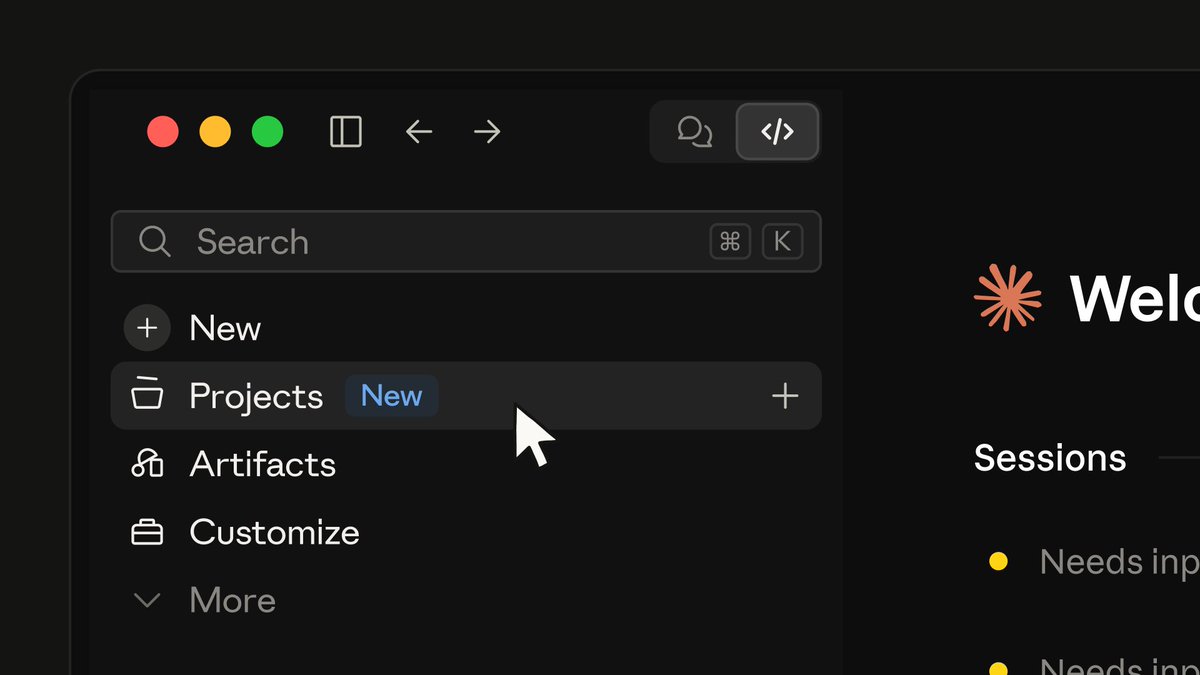
- Best for: Work that splits into several pieces you would otherwise run as separate chats and stitch together yourself.
- When to use it: You have a goal rather than a single question, and you want progress to continue after you close the laptop.
- Who benefits: Pro and Max subscribers already running Claude Code cloud sessions, particularly anyone managing multi-part projects.
 Perplexityfeature
Effort Controls in Perplexity Computer
Presets in Computer's model selector that set how hard it works on a task, on the web now with mobile and desktop to follow.

- Best for: Spending more compute on a task that deserves it and less on a quick one.
- When to use it: The default depth is either overkill for a simple lookup or too shallow for involved research.
- Who benefits: Perplexity Computer users on the web who run a mix of quick and heavy tasks.
 Googlefeature
CC for Families and Households
Google Labs turned CC, its Gemini-powered personal assistant, into an agent that up to six people share.
- Best for: Coordinating a household: shared calendars, recurring forms, meal planning, and who needs to be where.
- When to use it: The logistics live across several people's inboxes and nobody has the full picture.
- Who benefits: U.S. adults with personal Google accounts who run scheduling for more than themselves.
GoogleapiAntigravity Agent 09-2026
An updated version of Google's hosted coding agent, which runs code and edits files in a Google-managed Linux sandbox that you reach through a single API call.
- Best for: Handing a whole task to an agent that needs to run code and work with files, without standing up your own sandbox.
- When to use it: A job needs real execution, file edits, and web lookups rather than a single model response.
- Who benefits: Developers building on the Gemini API who would otherwise maintain their own execution environment.
Anthropicfeatureclaude.ai Skills and Plugins in Terminal Sessions
Skills and plugins you turn on in your claude.ai account now carry over automatically to Claude Code in the terminal, for anyone signed in with that account.
- Best for: Keeping one set of skills and plugins instead of configuring the web account and the terminal separately.
- When to use it: You set up a skill on claude.ai and want it available at the command line without installing it again.
- Who benefits: Anyone running Claude Code in a terminal while signed in with a Claude account.
SpaceXAIfeatureMemory in Grok Build
Grok Build, xAI's coding agent, now keeps notes on how a project works and reads them back in later sessions. For people building software with Grok Build.

- Best for: Ongoing projects where you keep correcting the agent on the same conventions or commands
- When to use it: You come back to a project across many sessions and don't want to re-explain it each time
- Who benefits: Developers and technical builders using Grok Build on the same codebase over weeks
MetafeatureMuse Code on Windows
Muse Code, Meta's coding agent for the terminal, now runs natively on Windows without the Linux compatibility layer it needed before.

- Best for: Using Meta's coding agent directly on a Windows work laptop
- When to use it: You wanted to try Muse Code but your machine runs Windows and you didn't want to set up a Linux environment
- Who benefits: Teams on Windows machines, especially where installing software needs IT admin rights
AnthropicfeatureClaude Docs and Claude Slides (Beta)
Claude can now draft documents and slide decks inside a conversation, and you can edit them with Claude or download them. Beta on paid plans.
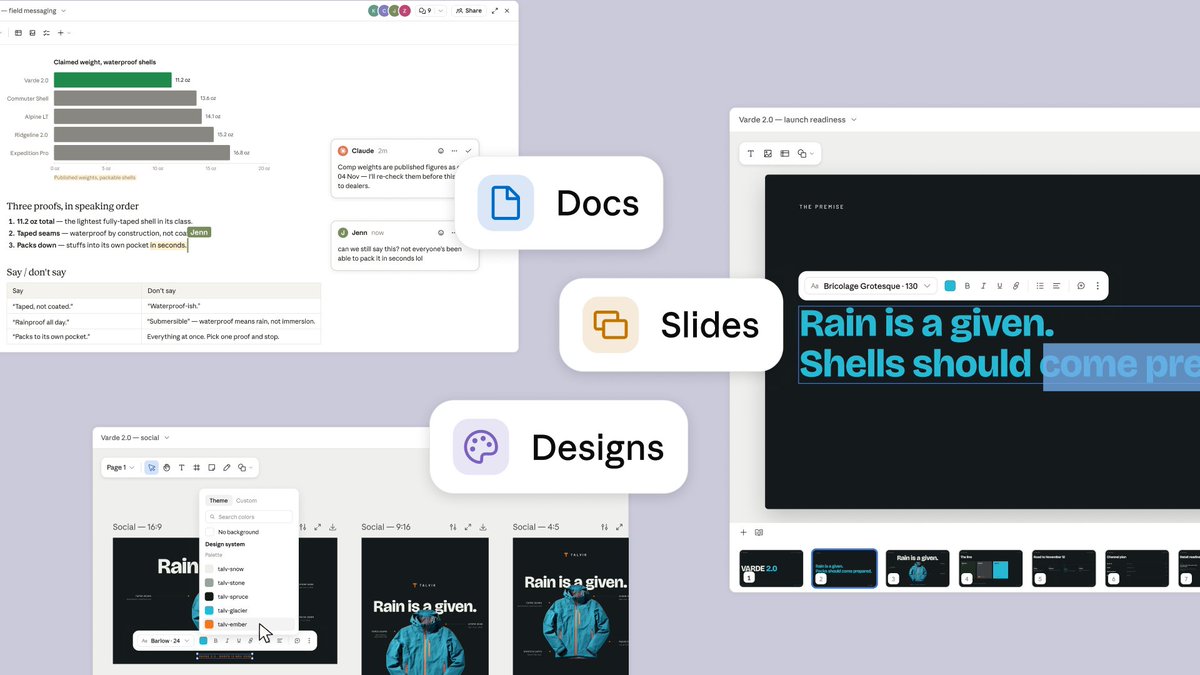
- Best for: Turning a conversation into a one-pager, then a deck, then a matching visual without leaving Claude
- When to use it: The end product of the task is a document or presentation someone else will open
- Who benefits: Marketers and managers who build briefs, reports, and pitch decks every week
AnthropicfeatureOne Claude: Cowork and Chat Merged
Claude Cowork and regular Claude chat are now a single app, so you no longer pick one before you start a task.
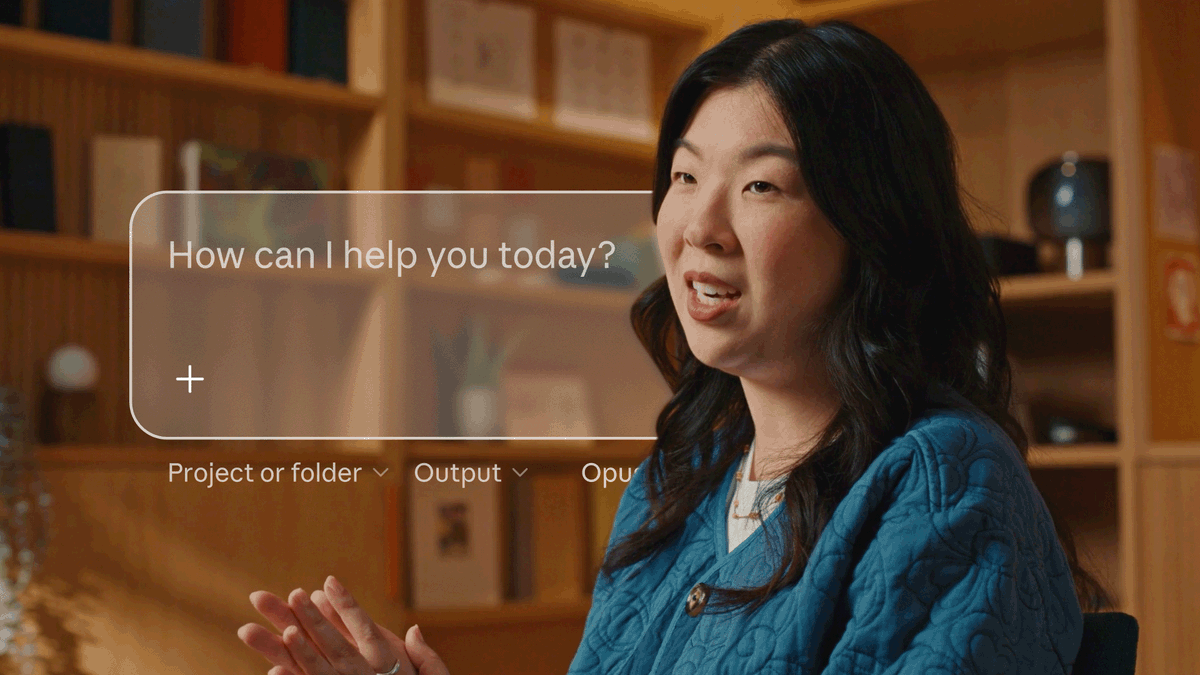
- Best for: Handing Claude a whole piece of work, like a report or a deck, in the same place you ask quick questions
- When to use it: You were switching between chat and Cowork depending on how big the task was
- Who benefits: Pro and Max subscribers who split their day between quick questions and longer delegated work
AnthropicfeatureSalesforce in Claude (Beta)
A Salesforce plugin that pulls a seller's accounts, opportunities, and pipeline into Claude, with 37 pre-built sales skills.
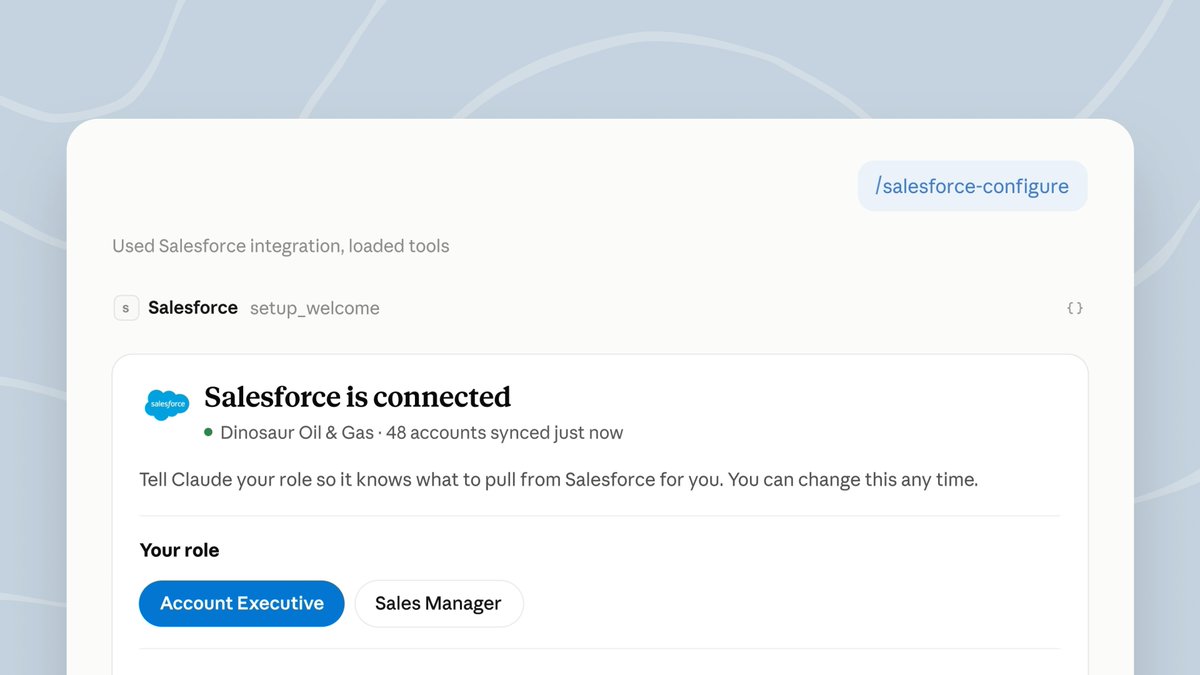
- Best for: Sales teams who work out of Salesforce and would rather ask for a deal's history than click through the CRM to find it.
- When to use it: A seller needs live CRM context inside a conversation, like prepping a call or sending a forecast without switching tools.
- Who benefits: Account executives, sales managers, and revenue operations staff on paid Claude plans.
 Microsoft Copilotfeature
Copilot Node in Copilot Studio Workflows (Preview)
Copilot Studio workflows can now run Copilot Chat, call agents like Researcher and Analyst, or hand off a Cowork task as one automated step, for Copilot Studio builders.
- Best for: Automations that need Copilot to research, summarize, or draft something partway through a process, then pass the result on.
- When to use it: A recurring process already starts from a trigger, like a new lead or an incoming email, and a person still does the reading and writing step by hand.
- Who benefits: Ops leads and team leads building automations in Copilot Studio for their department.
Join the newsletter to get ahead with AI.
I share strategies, new modules, free guides, and tools to get you better at using AI in your work.
Leading a team? See team programs →