






 OpenAIfeature
ChatGPT Memory Upgrade (Dreaming)
ChatGPT now builds a running written profile of you from past chats, sorted into areas like work, hobbies, and travel, and keeps it up to date automatically.
- Best for: getting more personalized, in-context answers without re-explaining your situation each time
- When to use it: runs automatically, compiling preferences over time
- Who benefits: regular ChatGPT users who want continuity across conversations
 Manusfeature
Shopify on Manus
A Manus connector that builds and runs a Shopify store from chat, generating the storefront and listings while Shopify handles checkout and fulfillment.

- Best for: standing up or running a Shopify store by describing it in chat
- When to use it: you want Manus to draft a storefront, write listings, or build campaigns off your sales data instead of doing it by hand
- Who benefits: store owners and marketers running Shopify shops
 Googlefeature
NotebookLM Source Attribution
NotebookLM now shows the exact prompts and sources behind each artifact, and lets you adjust and regenerate it.

- Best for: seeing exactly how NotebookLM produced a given output
- When to use it: you want to check or change which prompts and sources went into an artifact before reusing it
- Who benefits: researchers and writers who rely on NotebookLM-generated artifacts
GooglefeatureGemini Window Attach on Mac
A shortcut in the Gemini Mac app that attaches your active window to the chat so you can ask about it without taking a screenshot.

- Best for: asking Gemini about whatever app or document is open on your Mac
- When to use it: you want Gemini to see your current window without screenshotting or switching tabs
- Who benefits: people running the Gemini desktop app on macOS
OpenAIfeatureBuild iOS Apps Plugin for Codex
A Codex plugin that lets the coding agent view, test, and hot-reload your iOS app without leaving Codex.
- Best for: testing an iOS app inside the Codex coding loop instead of switching to a simulator
- When to use it: you are iterating on an iOS app and want to see previews and live changes as you edit
- Who benefits: iOS developers; not relevant unless you build native Apple apps
OpenAIapiModeration Scores in the Responses and Completions API
OpenAI's API can now return content-moderation signals in the same request that generates a response.
- Best for: teams that need to screen AI inputs or outputs without making a second API call
- When to use it: you want moderation signals returned next to the generated text so you can act in one step
- Who benefits: developers building apps that handle user-generated or sensitive content
OpenAIfeatureCodex Profiles
A personal stats page for your Codex usage that stays private until you choose to share it as a card.

- Best for: developers who want to see their own Codex usage patterns over time
- When to use it: you want to track your streaks and token usage, or share a snapshot of how you work
- Who benefits: solo Codex users; it is a personal profile, so less relevant for team-level reporting
GooglefeatureGemini Thinking Levels
A control in Gemini that lets you choose how long it reasons before answering, now free for everyone across web, iOS, and Android.
- Best for: Deciding how much reasoning a question needs instead of getting one fixed response speed.
- When to use it: A task is complex enough to need step-by-step reasoning, so you switch from Standard to Extended.
- Who benefits: Anyone using Gemini for both quick questions and harder, multi-step problems.
 Perplexityfeature
Perplexity Personal Computer for Windows
Perplexity's local agent, previously Mac-only, is coming to Windows, where it runs on your machine and works across your everyday apps and files.

- Best for: Letting Perplexity act across the apps and files on your Windows PC, not just the web.
- When to use it: You are on Windows and want Perplexity to pull from local files and native apps to complete a task.
- Who benefits: Windows users on paid Perplexity plans.
 Microsoft Copilotfeature
Microsoft Scout
Microsoft's first always-on personal work agent. It lives in Teams, learns your work patterns, and proactively handles coordination like scheduling and meeting prep.
- Best for: Handing off recurring coordination work, like scheduling, prep, and follow-up tracking, to an agent that acts without being prompted each time.
- When to use it: You want an agent watching your calendar, email, and chats to tee up meetings and flag what needs attention.
- Who benefits: Microsoft 365 users in enterprises enrolled in Microsoft's Frontier program.
Microsoft CopilotmodelMicrosoft MAI Models
Microsoft's family of in-house AI models expanded at Build 2026 with its first reasoning model plus new coding, image, voice, and transcription models, all available through Microsoft Foundry.
- Best for: Building on Microsoft's own models inside the Foundry developer stack instead of relying only on partner models like OpenAI's.
- When to use it: You build on Azure or Foundry and want first-party models for reasoning, code, image, voice, or transcription.
- Who benefits: Developers and teams building AI features on the Microsoft stack.
GooglefeatureNotebookLM Report Formats on Mobile
The NotebookLM mobile app can now generate briefing docs, study guides, and blog posts, formats that were previously desktop-only.
- Best for: Creating a structured document from your sources while away from a computer.
- When to use it: You want a briefing doc, study guide, or blog post from your notebook on your phone.
- Who benefits: NotebookLM users who work from the mobile app.
OpenAIfeatureCodex Role-Specific Plugins
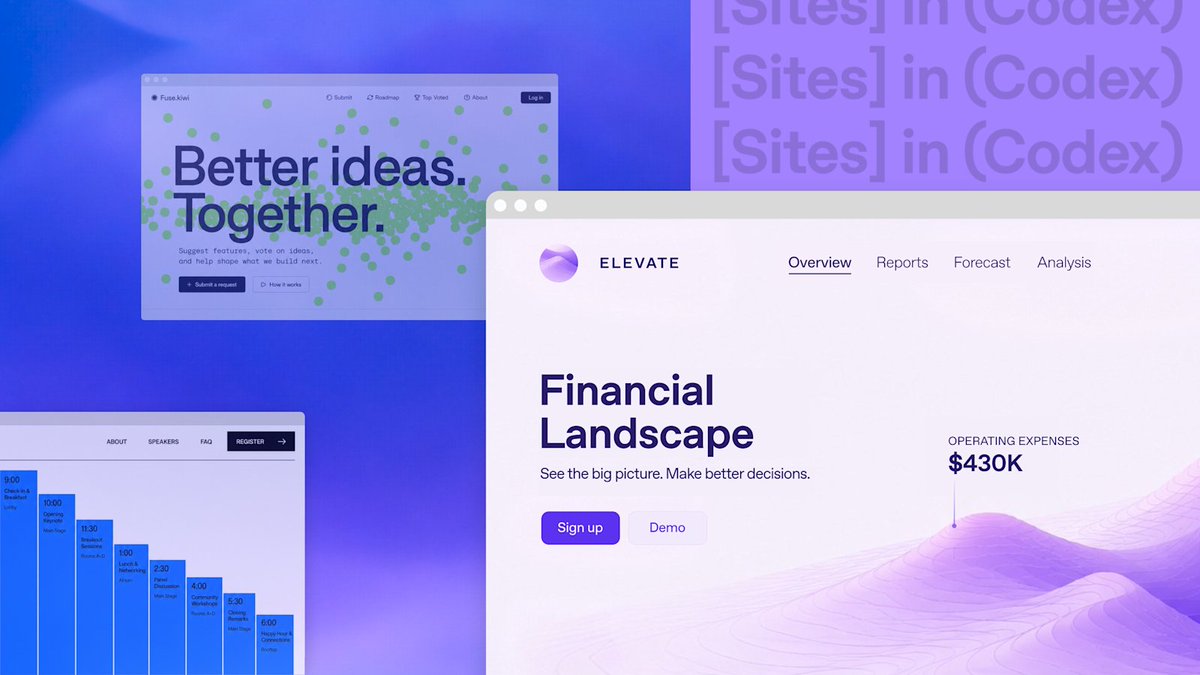
Prebuilt Codex plugins that turn it into a specialist for non-coding work like sales, data analysis, and creative production, with the apps and skills for each role installed in one click.
- Best for: Turning Codex into a ready-made assistant for a specific business function without wiring up tools yourself.
- When to use it: Your work is sales, analytics, creative, or finance and you want Codex acting inside the apps your team already runs.
- Who benefits: Marketers, sales teams, analysts, and other non-developers, now about 20% of Codex's weekly users.
Microsoft CopilotfeatureFederated Copilot Connectors (Generally Available)
Microsoft 365 Copilot can now pull live data from outside business systems through admin-approved connectors.
- Best for: getting Copilot answers that draw on data sitting in third-party systems, not just your Microsoft files
- When to use it: you need Copilot to reference up-to-date information from an outside tool your organization has connected
- Who benefits: teams whose admins wire up outside data sources, so everyday users get richer answers in Chat and Excel
Microsoft CopilotfeatureCopilot Edits Word Documents by Default
The Copilot chat pane in Word can now edit your document directly, without you switching editing on first.
- Best for: having Copilot apply changes straight into a Word doc instead of only suggesting them
- When to use it: you are drafting or reworking a document and want Copilot edits made in place, then review them
- Who benefits: anyone who uses Copilot inside Word to write and edit documents
PerplexityapiSearch as Code
A search setup for developers building agents on Perplexity: the agent writes its own Python to run many searches at once instead of one at a time. Now the default in Perplexity Computer.

- Best for: Agents that need to pull from and sift through many sources in a single task, like deep research or data gathering.
- When to use it: Building on the Perplexity Agent API and you want the agent to run many searches at once instead of looping one query at a time.
- Who benefits: Developers and engineering teams building AI research or agent tools on Perplexity.
Microsoft CopilotmodelClaude Sonnet 5 and GPT-5.5 Chat in Copilot Studio (Generally Available)
You can pick Claude Sonnet 5 or GPT-5.5 Chat as the main model driving a Copilot Studio agent.
- Best for: Tuning an agent's answer quality by swapping the model behind it
- When to use it: The default model gives weak or inconsistent answers on your agent's particular task
- Who benefits: Makers who want model choice rather than whatever Microsoft defaults to
Microsoft CopilotfeatureMicrosoft IQ in Copilot Studio
Connects a Copilot Studio agent to your organization's email, calendar, files, Teams messages, and people directory.
- Best for: Agents that need to answer from what already sits in your Microsoft 365 tenant
- When to use it: The answer lives in an inbox, a Teams thread, or a file, not in a document you would upload by hand
- Who benefits: Teams building internal agents on top of Microsoft 365 data
Microsoft CopilotfeatureNew Agent Experience in Copilot Studio (Production-Ready Preview)
A rebuilt way to create agents in Copilot Studio, running on the GitHub Copilot engine, offered alongside the classic builder.
- Best for: Starting a new agent and wanting the stronger reasoning rather than the older builder
- When to use it: You are building from scratch, since the classic experience stays available for what you already have
- Who benefits: Copilot Studio makers building agents for their team
OpenAIfeatureCodex Computer Use on Windows
Codex can now control a Windows PC directly, and you can start or steer those tasks from the ChatGPT phone app.

- Best for: Developers who want Codex to operate desktop apps on a Windows machine, not just write code.
- When to use it: A task needs clicking through an app that has no API, like testing a build or stepping through a UI flow.
- Who benefits: Windows-based developers, plus anyone running Codex who wants to start and check jobs from their phone.
Join the newsletter to get ahead with AI.
I share strategies, new modules, free guides, and tools to get you better at using AI in your work.
Leading a team? See team programs →